Collage Maker: Picture Collage4.0.0
Continue to app
Free Version
Photo Editor – Give Your Photos a New Life
Is making photo collages a hobby of yours? Want to make your collages worth posting on social media? If yes, then this photo editor has everything you need. Collage Maker Photo Editor App is an app that allows you to create stunning photo collages with ease and lets you edit your photos as per your preferences. It enables you to give your photos a new life by applying various filters and effects to them. You can also personalize your photos by adding text to them in fonts of your choice. This app allows you to share your edited photos on different social media platforms too. Most of the features in this app are free to use. However, some of the options are reserved for premium subscribers.
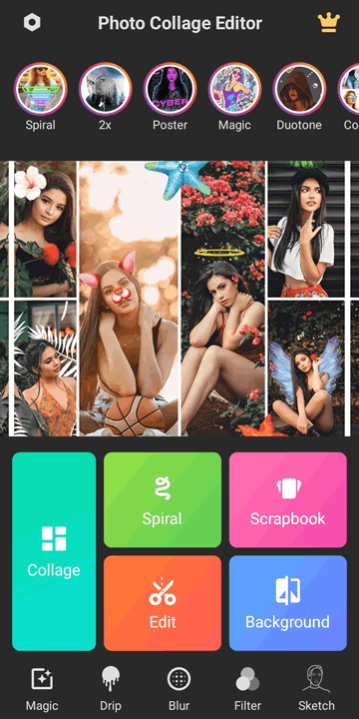
Collage Maker Photo Editor App has a clean and intuitive user interface. It is designed to be user-friendly, with easily navigable menus and a straightforward layout. The home screen offers quick access to key features such as creating a new collage, editing photos, adding spiral effects, making a scrapbook, and changing backgrounds of photos. There are also menu buttons available at the bottom of the home screen for features like Magic, Drip, Blur, Filter, and Sketch. This photo editor is designed to be accessible to users of all skill levels. Even beginners can start creating beautiful collages in no time. The drag-and-drop functionality for arranging photos and the simple sliders for adjusting settings make the editing process effortless and enjoyable.
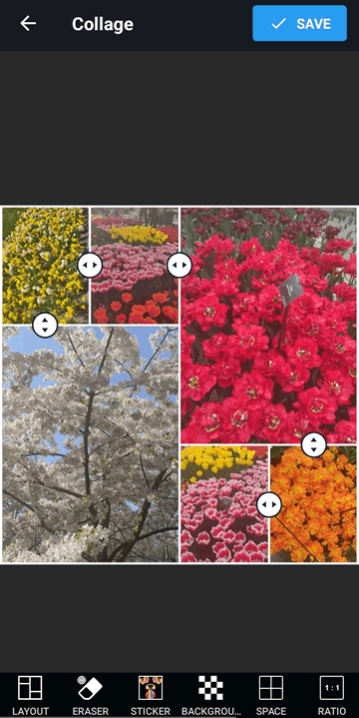
This photo editor provides you an extensive library of layouts. These layouts are customizable and let you adjust the arrangement and the aspect ratio to fit your needs. You can create collages of up to 15 photos. These photos can either be chosen from the gallery of your device or captured using the camera. This photo editor allows for a high degree of creativity, giving you the freedom to create unique and visually appealing collages. You can personalize your collages by adjusting the borders, adding backgrounds, and incorporating various design elements. There is also the option available to add stickers and text to the collages. You can apply filters to individual photos in the collage and also switch their positions, if you want.
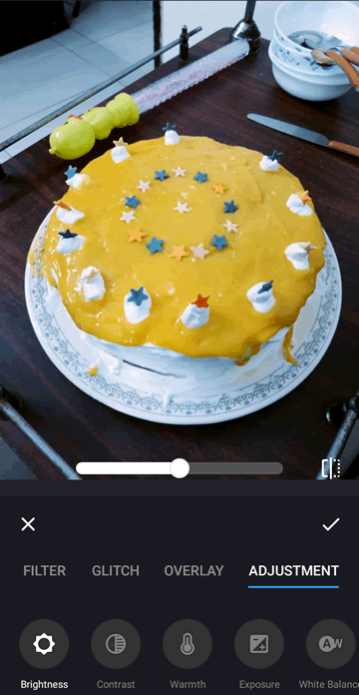
Collage Maker Photo Editor App isn't just about collages. It also has a comprehensive suite of photo editing tools. These tools are robust enough to satisfy advanced users, yet simple enough for beginners to use without feeling overwhelmed. You can enhance your photos with a variety of filters, adjust brightness and contrast, crop and rotate images, and add text or stickers. There are many photo effects available too that can give your photos a unique look. For instance, the drip and spiral effects are particularly useful for adding a nice visual flair to the photos. This photo editor offers various iterations of these effects so you have various options to choose from. You can transform your photos into art pieces using the Magic feature.
Features:
- Clean and intuitive user interface
- User-friendly and straightforward design and layout
- An extensive library of layouts for creating collages
- Option to customize the layouts as per your needs
- Various photo editing tools on offer
- A wide range of filters to apply to your photos
- Add text and stickers to photo collages
- Spiral and Drip effects to add visual flair to your photos
- Transform your photos into art with Magic feature
Conclusion:
Collage Maker Photo Editor App is an app for people who want to spruce up their photo collection. Its user-friendly interface, extensive customization options, robust editing tools, and seamless social media integration make it a standout app in the photo editing category. It is a photo editor worth having on your phone if you like making photo collages.
