Collage Maker: Picture Collage4.0.0
Continue to app
Free Version
Publisher Description
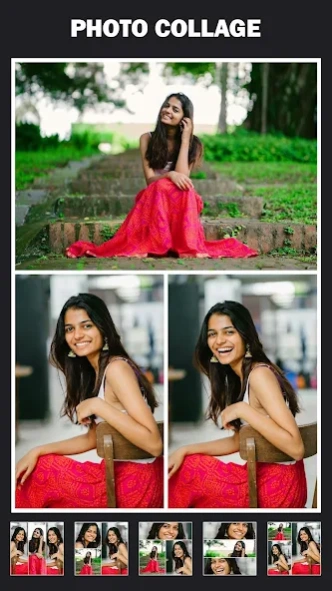


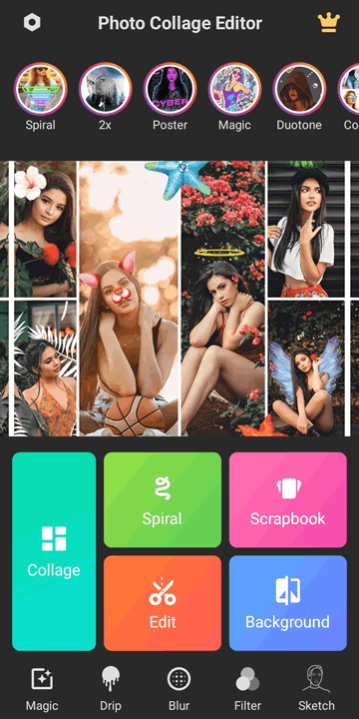
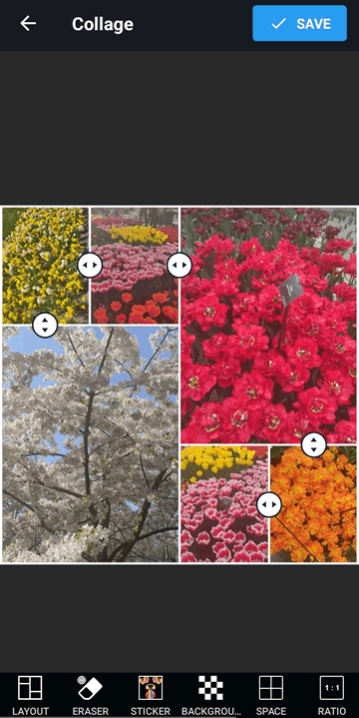
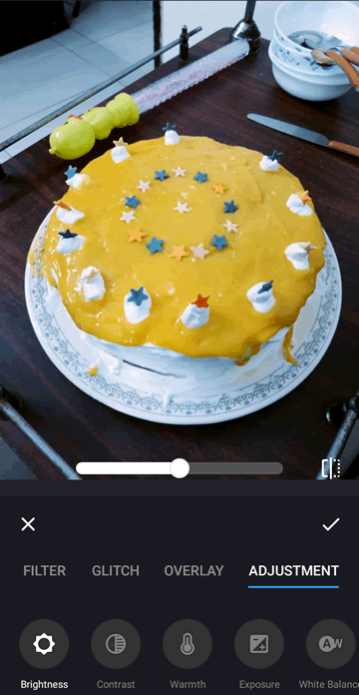
Photo collage maker, pic collage app! Fun photo editor with pic mix, photo grid!
Pic Collage Maker: Photo Frames And Filters For Pictures Made Easy!Users can also create filters and frames from scratch using the easy-to-use photo editor! Users with the Photo Grid Collage Maker: Picture Layout can create pictures using multiple images and easily create collages using pictures from their gallery! Photo Collage Maker & Picture Editor users can edit their images like a specialist using the preset framing features and have frequent professional-like outcomes!
Using simple tools from the Photo Layout: Picture Collage App, users can arrange their pictures and collages correctly for the most visually appealing outcomes! With the tools, users can create a frame with the Pic Grid Collage and Photo Editor, then refine the image with additional filters!
Pic Collage Maker: Photo Frames And Filters For Pictures Features:
🎨Over Thousands of Stickers;
📷Unique Backgrounds with Blur capabilities and easy size adjust;
🖼Pictures can be saved and shared with friends in seconds;
📱Galleries of images saved in high quality;
🎭Photo Layout: Picture Collage App!
Turn your memories into stunning collages!
Over the years, the Pic Collage Maker: Photo Frames And Filters For Pictures app shines the spotlight on all the golden memories. Transform your pictures into albums, posters, or mood boards with fancy templates and cool filters and tell your story. We make sure your photos, whether it be of joyous family occasions or a casual selfie, pop with exciting color designs.
🧑🎨
Create Unforgettable Memory Designs:
🧑🎨
With the Photo Grid Collage Maker: Picture Layout app, combining multiple pictures into a single composition is a breeze. Tailor the background, borders, and imaginative designs, and watch the images align for a perfectly ordered masterpiece. Our variety of options deserves praise, as they enable you to collage with artistic freedom, all the while, giving a professional touch.
🆒
Photo Collage Maker & Picture Editor For The Ultimate Aesthetic.
🆒
Photo Collage Maker & Picture Editor provides you with all your essential collage making needs. In terms of creativity, you can give your photos a unique twist by adding stickers, text, overlays, and filters. You have the artistic freedom to resize, blur, and frame your images as you wish.
😎
Stylize However You Want:
😎
Arranging photos is super easy with the Photo Layout: Picture Collage App. You can let your creativity flow with freestyle and thematic frames or decorate them with grids. Pic Grid Collage & Photo Editor makes sure, whether it be just a fun project or a collab, your collages turn out pretty without a hassle.
🖌️
Applying Finishing Filters and Touches
🖌️
Pic Grid Collage and Photo Editor provides you with tools to add those last details that tie everything together. Test out creative filters, modify the tones, or pump up the colors so your images pop out at your audience. Pop on stickers and and other fun party elements to add personalization!
Make Every Collage a Work of Art to Be Shared and Celebrated
Let your imagination go wild with Pic Collage Maker: Photo Frames And Filters For Pictures and design amazing collages that are effortless to share. As you use tools like Photo Grid Collage Maker: Picture Layout, you are guaranteed to assemble something exceptional. Inspire your audience with the stories that your photographs are waiting to tell through your innovative lens!
About Collage Maker: Picture Collage
Collage Maker is an Android app developed by Lyrebird Studio that allows users to create collages using their photos. With over 100 different layouts, the app provides a wide range of options for arranging pictures in unique and creative ways. Users can select multiple photos from their device's gallery or take new ones directly within the app. The built-in photo editor also offers various tools for adjusting brightness, contrast, saturation, and other settings to enhance images before adding them to a collage. Once all desired photos are added, users can customize the layout by resizing and rearranging each image as needed. Additional features include text overlays with customizable fonts and colors, stickers, backgrounds, borders and frames. The finished collages can be saved to the user's device or shared on social media platforms like Instagram or Facebook directly from within the app. Overall Collage Maker is an easy-to-use tool that helps users turn their memories into beautiful visual stories.
How to install Collage Maker: Picture Collage on your Android device:
- Click on the Continue To App button on our website. This will redirect you to Google Play.
- Once the Collage Maker: Picture Collage is shown in the Google Play listing of your Android device, you can start its download and installation. Tap on the Install button located below the search bar and to the right of the app icon.
- A pop-up window with the permissions required by Collage Maker: Picture Collage will be shown. Click on Accept to continue the process.
- Collage Maker: Picture Collage will be downloaded onto your device, displaying a progress. Once the download completes, the installation will start and you'll get a notification after the installation is finished.
Program Details
System requirements
Operating systems
Android
Download information
File size
N/A
Total downloads
24
Pricing
License model
Free
Price
Version History
Here you can find the changelog of Collage Maker: Picture Collage since it was posted on our website on 2016-09-19.The latest version is 4.0.0 and it was updated on Soft112 on 09 November, 2026.See below the changes in each version:
version 4.0.0
posted on 2026-08-02
version 1.2.0
posted on 2016-08-27
* Smart sticker position selector.,* New gallery layout.,* Crop tool for collage photos.,* New animal stickers.,* 20 new photo frames.,* 46 new special collage layouts.
